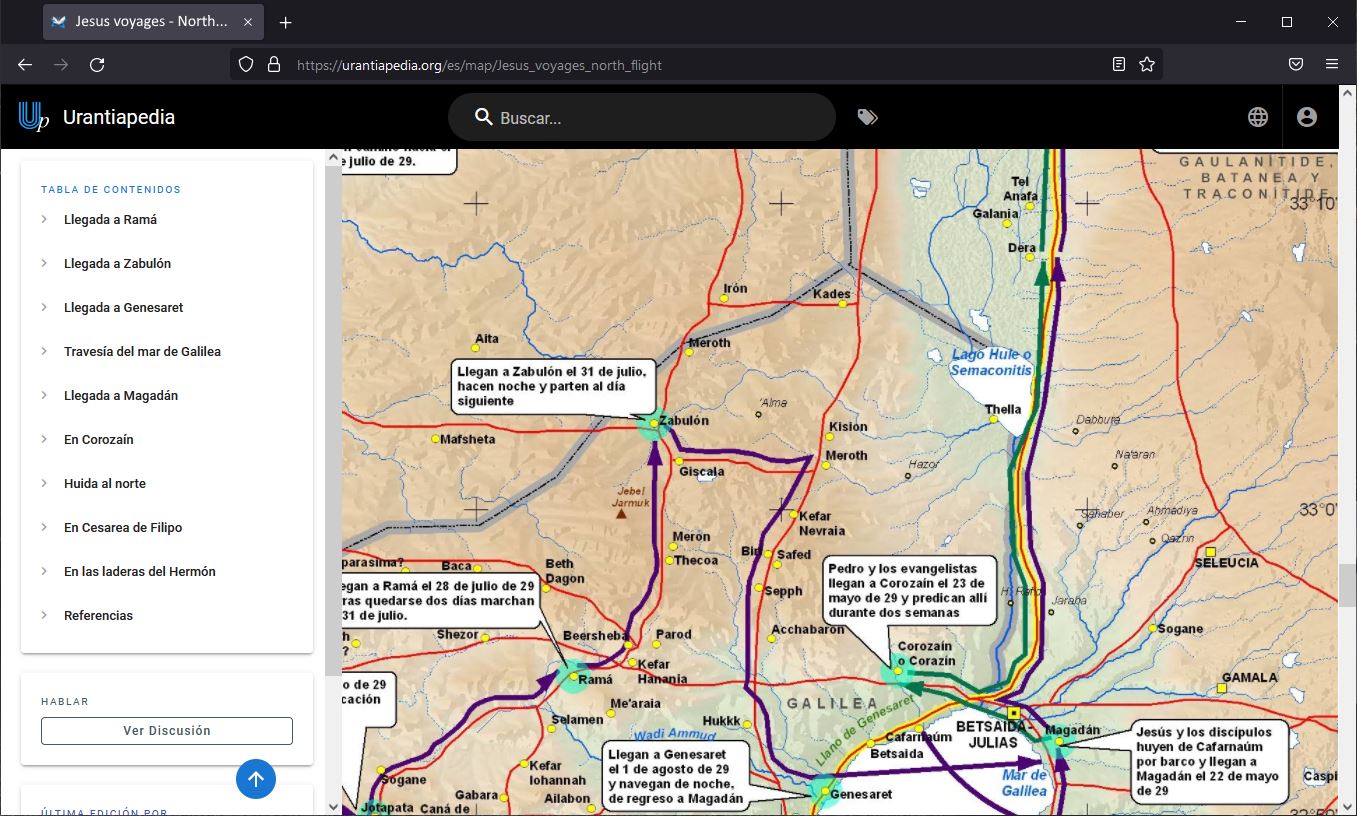
Urantiapedia contains a Map Library, a section dedicated to maps that allows the geographical content of The Urantia Book to be displayed in a more visual and useful way. The Urantia revelations contain hundreds of references to places on Earth, especially to geological processes in the past, to historical events throughout the evolution of species and races, and perhaps most notably, to the events of the Master’s life, especially his voyages, much more numerous than had been believed until recently.
Maps are more technically challenging as they involve a type of content that is not as easy to create as pages with just text and images. In addition, we want these maps, like the rest of the content, to be able to be created collaboratively, so that different users can contribute to the same maps with additions or corrections.
Maps can work in three modes:
- Static Maps: Simple images in
PNG,JPG,SVG, andPDFformats. ForPNGandJPGimages, you can use an HTML image map that allows you to include hyperlinks so that clicking on one location will take you to another page on Urantiapedia or another website. SVG and PDF formats don’t require anything extra and support the same functionality. - Framed Maps: These are interactive maps created on an online mapping platform that allows you to use those maps by adding an
iframeto the page. These maps are much more capable than the previous ones, allowing various functionalities depending on the platform used, and all offer the option of having a continuous map in the background that can be interacted with, even in 3D. The downside is that you can’t collaborate on these types of maps, since the content is hosted outside of Urantiapedia. One of the platforms that allows this is Google My Maps. - Embedded Maps: These are interactive maps created directly from Urantiapedia. We don’t have this functionality on the server yet, but there are plans to add this type of content. There are several advantages to having a system like this:
- A very simple and visual editor can be added to make it easier for anyone without prior knowledge of creating maps to create their own.
- Supports collaboration between multiple users when creating the maps.
- Supports not only linking the map to other Urantiapedia pages, but also the reverse, linking the rest of Urantiapedia to a position on a map or even a coordinate.
- Improves integration and backups because all content would be in one place.
- It would allow to still use the background layers of other map providers, focusing on saving only the marks and drawings of the map itself, and avoiding having to save content (the background of the map) that would take up a lot of storage space.
You can see more information about how the maps are organized in the project in the Urantiapedia Help.
¶ List of maps
Access here to the Map List available in the Map Library.
¶ References
Some maps available at:
- “In His Steps: Maps of Jesus’ Travels”, from Urantia Foundation
- “Where Jesus Walked”, from Jesusonian Foundation
- “Maps For A Study Of The Life Of Jesus”, from The Urantia Book Fellowship